

With the sudden pivot to remote working driven by COVID-19 people have been asking us what the best platforms are to stream live events, talks and meetings on. Including an upcoming webinar series that LAPADA has asked us to run for its members (more to come on this…)
There are two applications that have drastically benefited from this sudden move, and have hugely helped people adapt to the new reality.
Zoom already had been doing pretty well, eclipsing Skype as the go-to free-to-access video calling platform last year, but suddenly every professional meeting seems to be happening on there and it’s even created its own memes.

Where Skype behaves more like a conventional phone and you have to instigate calls directly, Zoom is more like your own virtual online meeting room which just feels a lot more convenient. And its got the same super-easy screen-sharing and recording options to use whilst sharing with up to 100 people per call, and up to 500 with their large meeting ad-on.
Though having said all that – the 40 minute time limit did get…limiting. So we are now paying for it. Fair enough…
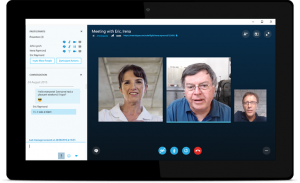
Let’s not write Skype off , particularly as it then enables you to continue the conversation more easily once you’ve hung up via the chat function.
And it’s got some cool emojis to go with the ability of sending SMS messages and making calls to actual phones. Skype also has a nifty new feature that it subtly snuck in that blurs out the background whilst keeping your face in focus. So you can look like you are being shot for an Athena calendar at the same time as knocking out the week’s status.

However, if you’re talking about really integrating with ongoing chat and tasks for workteams, then the Slack VOIP option is a great one. Though we’ve found it clunkier to organise and it seems slightly less reliable.
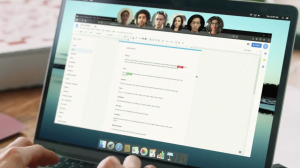
Then if you want to start exploring real collaboration there’s a new player on the block…Around is offering a whole bank of cool features, with their highlight offering being an AI-based camera framing tool which follows your face as you move around so you don’t need to worry about any wandering family members filling the background of your screen.
The Around team also guarantees crisp audio and video having spent two years writing their own scripts to cancel out any unwanted background noise. As they say: “You can literally blend your smoothie in a 1000-watt ninja blender next to the microphone, and nothing will go through. If you’re speaking at the same time, voice is prioritized and the noise heavily suppressed”.

If you’re talking about a genuinely social chat experience, however (which is what we all need right now to keep ourselves sane) then Houseparty is the one. This is much more playful than the other platforms and it also allows people to see which of their contacts are already in chats and ‘drop-in’ on conversations – for better or worse.
There’s a lock button at the bottom that you should be aware of if you want to stop this happening!

Finally, if you’re talking more about interactive experiences and training then there’s a whole other bunch of options. We’re not going to go into all of these, but Kahoot! stands out as a great example of using interactivity within training and learning programmes. We’ve not tried it yet but it basically gamifies experiences, allowing you to create presentations based on pre-produced templates. These offer question based games for group training or self-paced remote learning.
Participants answer questions via their own devices with results shown online or on the big screen. Following a completed presentation you’re also able to access detailed reports to help track your ‘players’ progress over time.